

Multi-currency digital wallet
Pay, save, exchange — your money, secure, in just one tap.
Quick Wallet is the multi-currency e-wallet by Quick Business: top up, transfer, withdraw, pay a merchant, exchange currencies and save, straight from your phone.
Download the app
- Google PlayComing soon
- App StoreComing soon
[TO BE COMPLETED: Play Store / App Store URL]
 Animated illustration: money moving between two Quick Wallet wallets.
What you can do
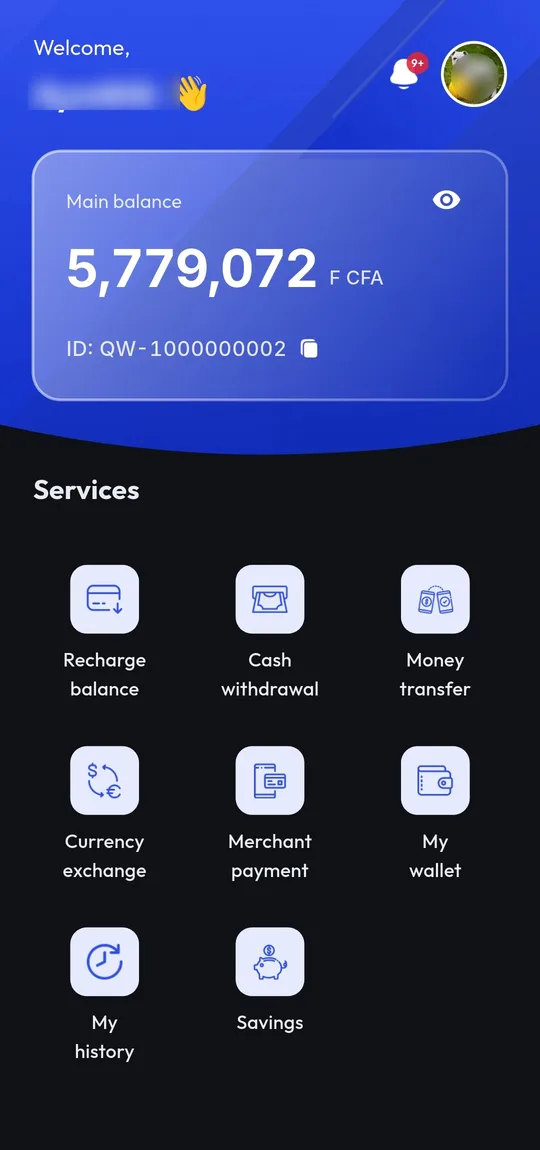
Eight services, all of them in the app today. Nothing below is “coming soon”.
Recharge
Add funds to your Quick Wallet instantly using your credit card, mobile money, or bank transfer.
Money transfer
Securely send money to any Quick Wallet user, with full visibility of the fees before you confirm.
Withdraw
Easily withdraw money from your wallet to your bank account or mobile money.
Merchant payment
Pay a merchant by scanning their QR code or entering their code, with the amount and fees shown before you validate.
Exchange
Easily exchange currencies within your wallet.
Exchange rates
View the current exchange rates between different currencies.
Savings
Set up automatic savings with scheduled contributions and track your progress towards your financial goals.
History
Find every operation you have made, filterable by status, with its detail and its fees.
The app, screen by screen
Eight real captures, taken in the app. Scroll through them.
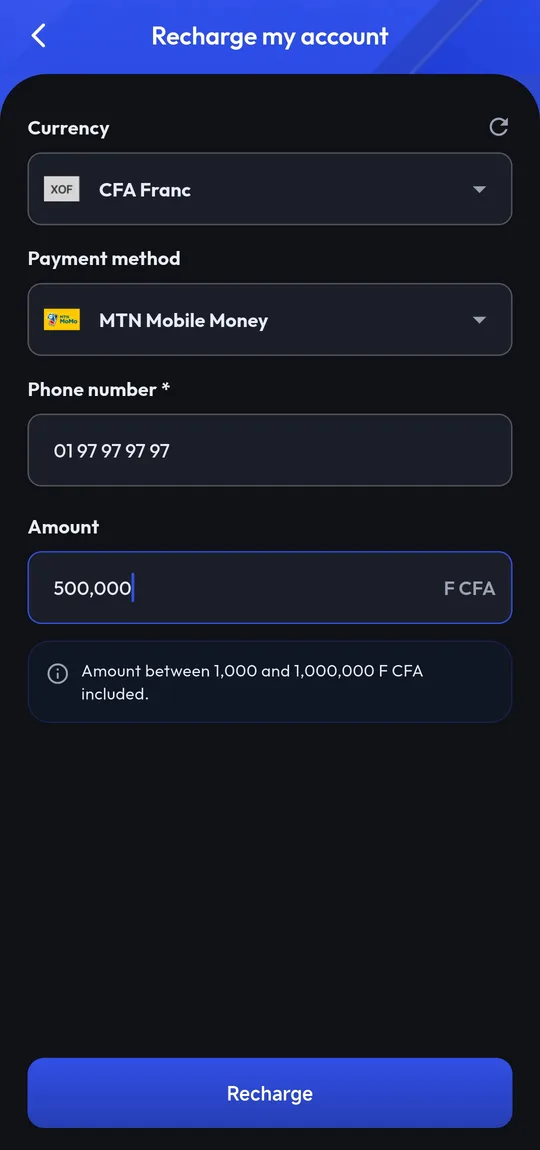
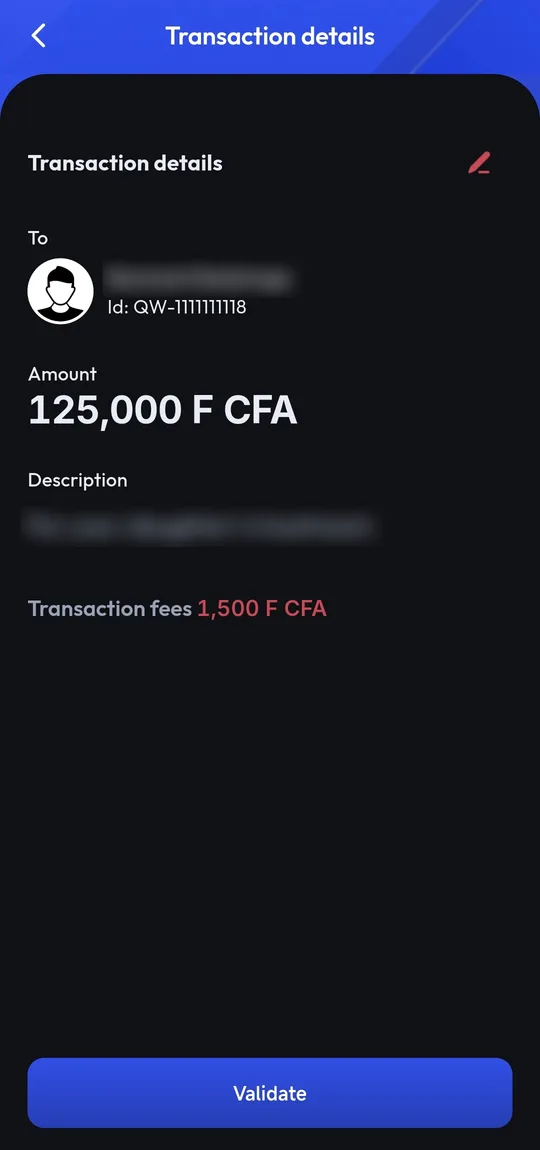
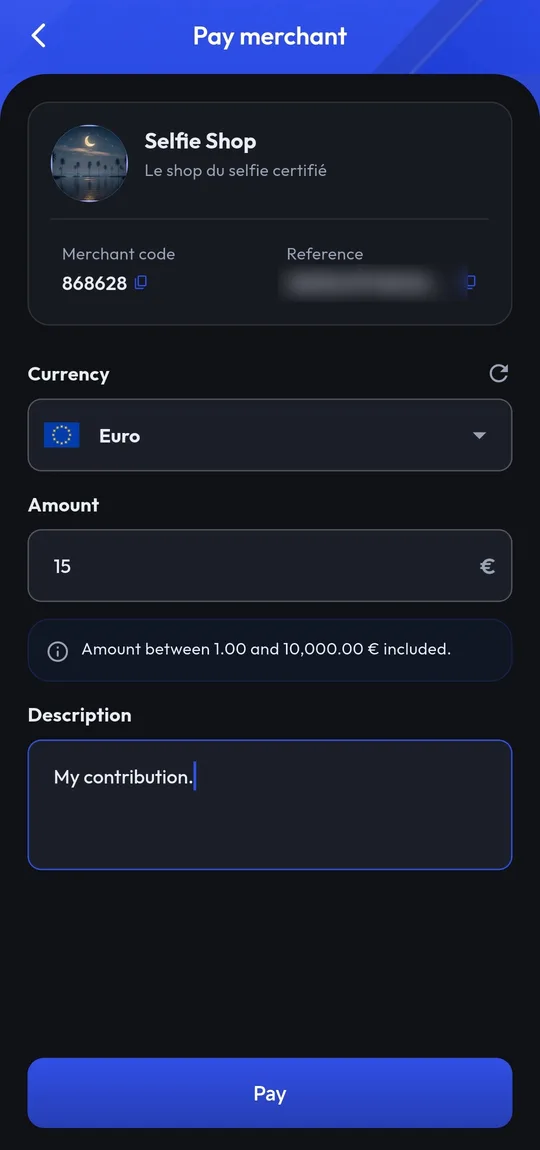
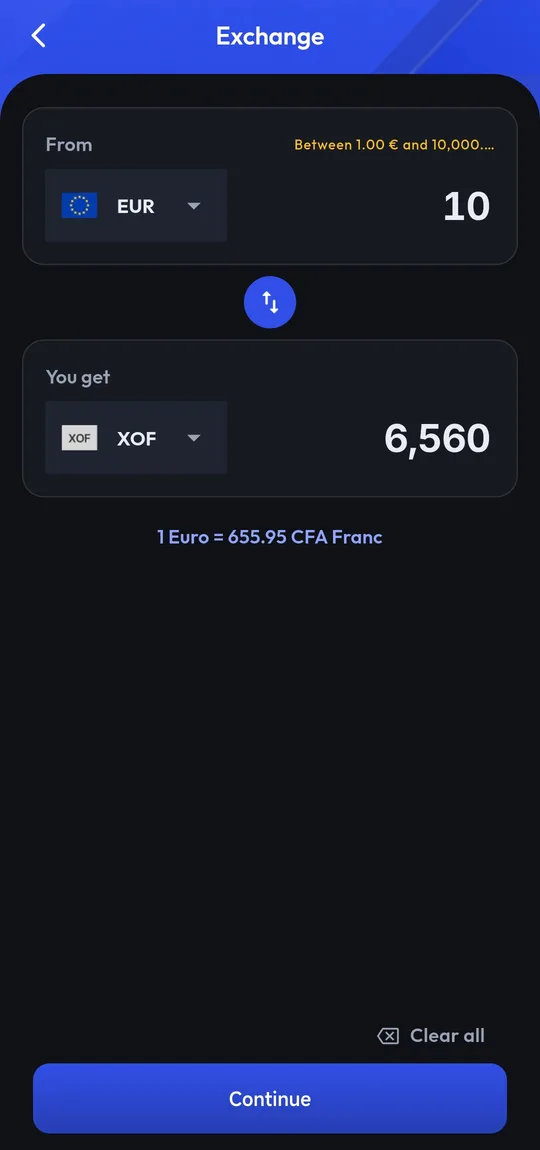
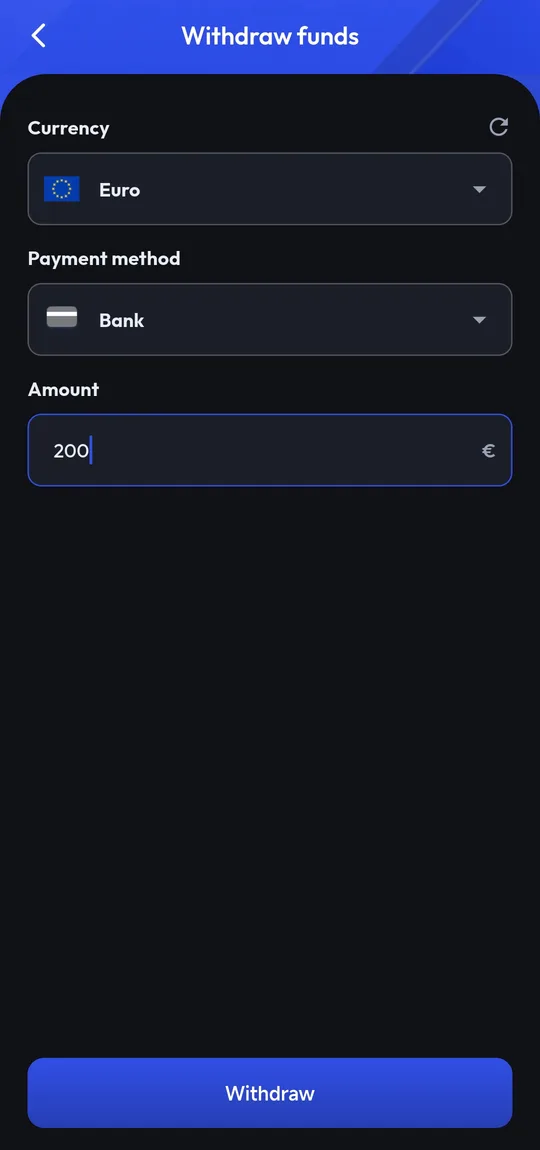
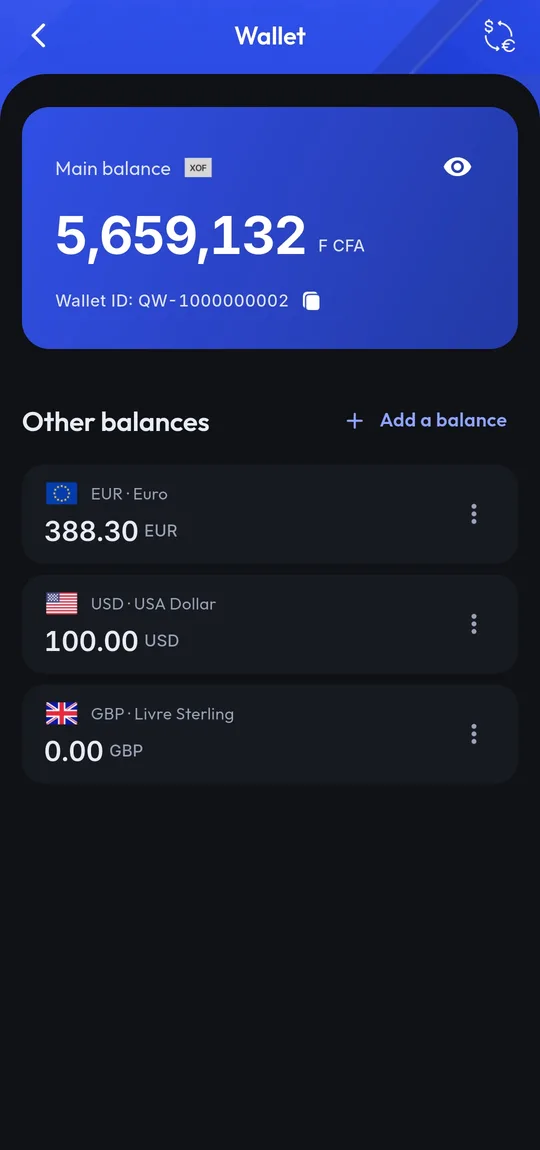
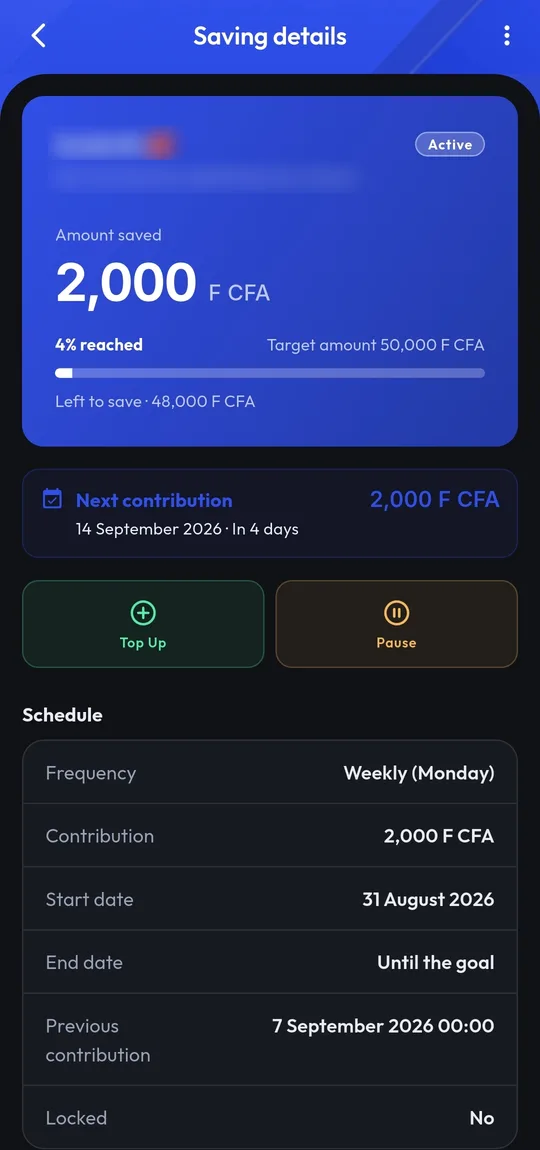
Real captures from the app. The demo account’s personal details — first name, photo, recipient name and the labels it typed — are blurred into the files themselves, not hidden at display time.
Create your account
Four steps, from the app. Nothing to prepare beyond an email address and your phone number.
Your email address
You enter your email. The app checks whether you already have a Quick Business account that gives you access to Quick Wallet.
The code sent to your inbox
A 6-digit code is emailed to you, to confirm the address is yours.
Phone and password
You pick your country, enter your phone number and set your password.
Your PIN code
You pick a 6-digit code. It never leaves this device in the clear.
One account for the whole ecosystem
Quick Wallet does not hold your identity itself: your email, your password and your PIN belong to your Quick Business account, shared across the Quick services. If you already have an account on another Quick service, you are not creating a second one — you are simply opening access to Quick Wallet.
It is also why deleting your Quick Wallet account does not delete your Quick Business identity.

The rest of the ecosystem
Quick Wallet is how the Quick Business services get paid: the same credentials, the same wallet.
- Identity
Quick Account
The ecosystem’s identity service: sign-up, login, verification code and PIN. It is what holds your email and your password, for every Quick service.
- Commerce
Quick Market
The video shopping platform: stores, short videos and live streams. Orders there are paid with Quick Wallet, and the funds stay in escrow until the order is received.
- Accepting payments
Quick Wallet for merchants
A merchant workspace and integration kits let a website or an app accept Quick Wallet payments.
[TO BE COMPLETED: Quick Market and merchant workspace URLs]
They use Quick Wallet
What the first users tell us will be published here, under their name and with their consent.
[TO BE COMPLETED: real user testimonials. None are invented: this section stays empty for as long as the app is unpublished and no feedback has been collected.]
Frequently asked questions
What people ask us most before getting started.
What is Quick Wallet?
A multi-currency digital wallet for your phone. You top it up, send money, withdraw it, pay a merchant, exchange currencies and put money aside.
Is the app available yet?
Not yet. It is published neither on Google Play nor on the App Store to date. The download links will appear on this page as soon as it is published.
How do I create an account?
From the app, in four steps: your email, the 6-digit code emailed to you, your phone number with a password, then a 6-digit PIN.
I already have an account on another Quick service. Do I need a new one?
No. Your Quick Business account is the same everywhere. When you enter your email, the app recognises it and simply asks for your password to open access to Quick Wallet.
Which currencies can I hold?
The wallet is multi-currency: you can hold several currencies side by side and move between them from the app. The list of available currencies is the one shown in the app, which is authoritative.
What are the fees?
The fees for an operation are shown to you in the app before you validate it, never after. [TO BE COMPLETED: pointer to the fee schedule in force]
Is my data protected?
Your PIN never leaves your device in the clear, and your biometric data stays on your phone. What we process, and why, is set out in the privacy policy.
How do I delete my account?
From the deletion request page, at the bottom of this page. It is reachable without logging in and without installing the app.
Write to us
A question about the app, a problem on your account, a partnership enquiry: this form reaches the team.
Or by email
[TO BE COMPLETED: contact email]
For an account deletion request, use the dedicated form further down: it follows a separate handling process.
Already have a Quick Wallet account?
Delete your account
This section is for people who already have a Quick Wallet account. You can request its deletion at any time from this page, without logging in and without installing the app. The form records a request: nothing is deleted before our team has checked it.